Accessing your professional email should be a seamless experience. Hostinger provides a dedicated Webmail application that allows you to manage your correspondence from any browser without needing to configure complex third-party software. Whether you are checking your inbox on the go or managing your business from a desktop, using the web-based app ensures your data is synced in real-time.
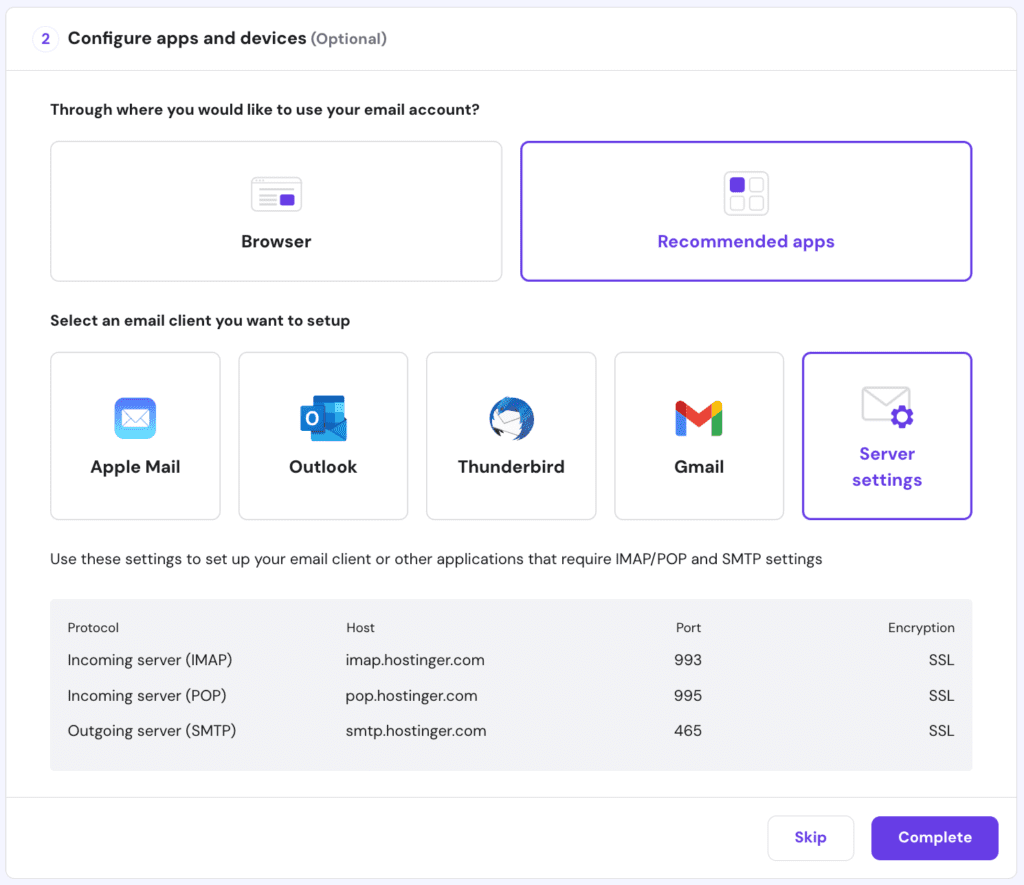
Methods to Access Hostinger Webmail
Option 1: Direct URL (Fastest Method)
This is the recommended method for daily use as it bypasses the main hosting control panel.
- Navigate to: https://mail.hostinger.com
- Enter Credentials: Use your full email address (e.g.,
name@yourdomain.com) and your password. - Tip: Bookmark this URL in your browser for instant access.
Option 2: Access via hPanel
Use this method if you are already managing your website or hosting settings.
- Log in: Go to https://hpanel.hostinger.com.
- Navigate: Go to the Emails section and click on Mailboxes next to your domain.
- Launch: Click the Webmail button next to the specific mailbox you wish to open.
Troubleshooting Login Failures
If you encounter issues logging in, refer to the following common solutions:
- Username Format: Ensure you are entering the complete email address, including the
@domain.comportion. - Password Resets: If the password is forgotten, you must reset it through the Hostinger Email Management dashboard in hPanel.
- Temporary Blocks: Multiple failed attempts can trigger a security lockout. Wait 15 minutes before trying again.
- Suspended Status: Check your hPanel to ensure the mailbox hasn’t been suspended due to billing issues or a breach of the Hostinger Terms of Service.
Professional Tips: Security & Digital Well-being
Managing your email securely is paramount to protecting your business identity. Follow these expert guidelines:
- Secure Your Login: Always enable Two-Factor Authentication (2FA) for your hPanel. The FBI’s Cyber Division consistently rates “Business Email Compromise” as a top global threat; 2FA is your strongest defense.
- Public Device Safety: If accessing webmail on a shared computer, the Mayo Clinic notes that the stress of potential data theft can impact your peace of mind. Always use “Incognito” mode and ensure you manually log out before closing the tab.
- Password Hygiene: Use a unique password for your email that is not shared with other accounts. According to the NIST Digital Identity Guidelines, long passphrases are more secure than complex short passwords.
- Avoid Notification Overload: To maintain focus, avoid keeping webmail open in a background tab all day. The American Psychological Association suggests that “constant checking” contributes to higher stress levels and lower productivity.

Conclusion
Hostinger’s Webmail app is designed for speed and reliability. By using the direct URL or the integrated hPanel access, you can ensure your professional communication remains uninterrupted. Remember to keep your credentials private and follow standard security protocols to keep your business data safe.
Also Read : IONOS Web Hosting Review 2026 — Pricing, Performance, Pros & Cons