
Website downtime is one of the biggest risks an online business can face. Even a short outage can result in lost revenue, abandoned users, and damaged brand trust. A study I recently reviewed revealed that nearly 67% of businesses experience revenue loss due to poor website performance, with downtime being the leading factor. When a website becomes inaccessible, even briefly, it doesn’t just affect sales—it impacts customer confidence and long-term reputation.
My name is Tony John, and I’ve spent over 30 years working in the software and digital solutions space. I started my career as a software developer in 1996 and have worked with companies such as Microsoft, Hewlett-Packard, Home Depot, Bank of America, Sage Stone, and Omnicell. In 2005, I moved into professional blogging and digital entrepreneurship, founding SpiderWorks, a Dubai-based digital marketing agency focused on web development and website migrations.
Over the years, I’ve worked with businesses from various industries and handled countless migration projects. Along the way, I’ve seen a wide range of challenges—from unexpected downtime and broken links to faulty redirects and slow page performance. These experiences made one thing clear: even the smallest mistake during a migration can significantly affect a website’s overall performance.
In this blog, I’ll walk you through every key aspect of migrating a website to a new hosting provider without downtime. We’ll cover what website hosting migration actually means, the most common reasons websites experience downtime, and how to safely move your website to a new domain while protecting performance and SEO.
What is Website Hosting Migration?
Website hosting migration is the process of moving a website from one hosting provider to another by transferring all website files, databases, services, and configurations to a new server. A successful migration ensures the website continues to function smoothly, delivers a consistent user experience, and maintains its search engine rankings throughout the transition.
From my experience, website migration can be especially stressful for businesses that cannot afford to go offline even briefly. To avoid issues, migration must be carefully planned and executed. Some essential steps I always recommend include taking full backups of website files, databases, and configurations before starting, testing the website thoroughly on the new server, keeping the old hosting active until the new setup is completely ready, and accurately transferring server settings, email accounts, SSL certificates, and custom configurations. When these steps are followed correctly, migration can be completed without disrupting website functionality.
Types of Website Hosting Migration
White Glove migration and Manual migration are the two primary methods used to move a website from one hosting provider to another. Each approach serves different needs based on technical expertise, website complexity, and budget. Let’s take a closer look at both options.
White Glove Migration
White Glove migration involves handing over the entire migration process to your new hosting provider. A dedicated team manages everything, including file transfers, database migration, email setup, server configuration, and post-migration testing.
Why Choose White Glove Migration?
White Glove migration is simpler and far less prone to errors, making it ideal for businesses without technical expertise. Since experienced professionals handle file transfers, configuration, and DNS updates, the risk of downtime is significantly reduced. This method also ensures that all associated services—such as emails, databases, and server settings—are migrated correctly and securely.
Manual Migration
Manual migration requires you or your in-house technical team to handle the entire process independently. This includes backing up website files, databases, and configurations, uploading them to the new server, adjusting settings, and updating DNS records to redirect traffic to the new hosting environment.
Why Choose Manual Migration?
Although manual migration is more demanding, it offers full control over the process, which is particularly useful for websites with custom configurations. Managing the migration yourself can also speed things up, as it allows you to schedule the transition during off-peak hours or overnight. In my experience, smaller or mid-sized websites often benefit from White Glove migration due to its simplicity and lower risk, while larger websites with custom setups may prefer manual migration for greater flexibility and cost efficiency.
How to Migrate a Website to a New Domain
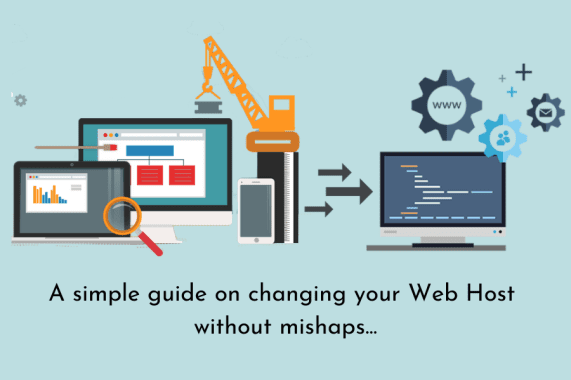
Based on my experience working with businesses across different industries, here is a step-by-step process to migrate your website to a new hosting provider without downtime.
1. Sign Up with Your New Hosting Provider
Start by creating an account with your new hosting provider, but do not cancel your existing hosting plan. Cancelling too early can immediately take your website offline. Keeping both hosting accounts active allows you to safely transfer files, databases, and emails while ensuring uninterrupted access for visitors.
2. Back Up All Website Files
Before beginning the migration, take a complete backup of your website files from the old hosting provider. Use FTP to download all content while maintaining the original folder structure. Upload these files to the new server exactly as they were to ensure a smooth transition.
3. Back Up and Transfer Databases
Export all databases from the old hosting environment and import them into the new server using tools such as phpMyAdmin or SSH. After restoring the databases, carefully verify database connections and encryption settings, as these are commonly overlooked but critical for website functionality.
4. Archive Emails
Email accounts do not automatically migrate with hosting. To preserve existing emails, connect via POP3 and download them to your local system. Once DNS changes are completed, the new hosting provider will begin receiving new emails. Ensure email services are properly configured on the new server.
5. Update Your DNS Settings
Once all website components are transferred, update your domain’s DNS settings to point to the new hosting provider. Obtain the correct nameservers from your new host and update them through your domain registrar. DNS propagation can take up to 48 hours, so keep your old hosting active during this time.
6. Wait for DNS Propagation
DNS propagation may take up to 48 hours globally. During this period, visitors may access your website from either the old or new server. Once propagation is complete, all traffic will route to the new server. Test your website thoroughly during this phase to confirm everything works as expected.
7. Cancel Hosting with the Old Provider
After confirming that the website is fully functional on the new server and DNS propagation is complete, you can safely cancel your old hosting plan. Be careful not to cancel your domain registration if it’s still managed by the previous provider. Ending only the hosting service ensures a clean migration.
What Causes Website Downtime?
Before discussing the causes of website downtime, it’s important to understand why websites are migrated in the first place. Businesses often migrate to improve performance, enhance security, add features, or move to a more reliable hosting provider. Regardless of the reason, the goal is always to avoid downtime.
Some common causes of downtime include cyber-attacks during migration, hardware or software failures, server overloads, DNS misconfigurations, DDoS attacks, and low-quality hosting services. With proper planning, reliable hosting, and complete backups, these risks can be minimized.
Read our blog on: Benefits of Hiring a Website Maintenance Agency
Get Professional Hosting and Migration Support in Dubai at SpiderWorks
While tools and guides can assist with migration, unexpected downtime is still possible if the process isn’t handled carefully. Even small issues, such as corrupted backups or incorrect DNS settings, can temporarily take a website offline.
With more than two decades of experience in digital solutions and web development, SpiderWorks understands how critical a stable and well-planned migration is for business continuity. Our team offers comprehensive web hosting services in Dubai, focusing on data security, SEO protection, and uninterrupted website performance throughout the migration process.
If you’re planning to move your website to a new hosting environment, trust SpiderWorks for proven expertise and reliable support. Contact us today to schedule a consultation or request a free quote.