Hostinger seems to be one of the user-friendly hosting services and provides reliable service for its beginner as well as advance users. From a low cost shared hosting to advance AI website builder, hostinger has covered almost every solution.
Getting started with hostinger is quite easy and takes a few steps to get your website business online, and ofcourse when you’re moving out from your providers, hostinger can be an excellent alternative
In this article we will cover the one, squarespace, If you want to migrate your site from Squarespace to Hostinger, transferring and managing your domain with hostinger comes handy . Hostinger is a versatile hosting and domain provider that simplifies your website’s transition and management.
This article provides simple steps for domain name transfer process from Squarespace to Hostinger.
We have written a simplest and read worthy guide on buying hosting plans from hostinger.
Explore Our Step-by-Step Guides
Helpful tutorials to secure, maintain, and improve your Hostinger website.
Requirements for moving a domain from Squarespace to Hostinger
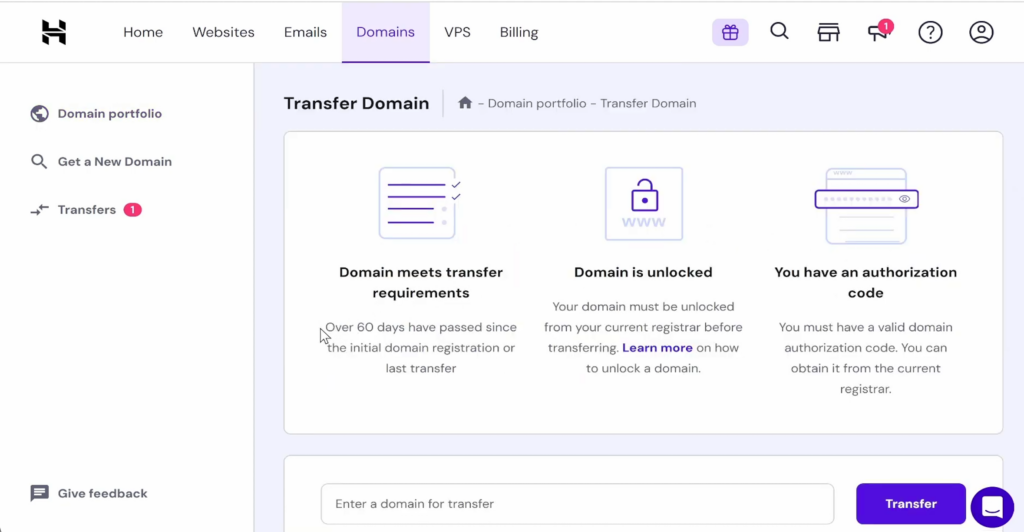
- Domain age. The domain must be at least 60 days old. Check Domain Age on WHOIS.
- Domain status. The domain must be active and unlocked.
- No pending payments. Ensure there are no outstanding payments on your Squarespace account.
- Valid email. The domain owner’s contact email must be accessible.
Now lets start with the guide to To Transfer a Domain From Squarespace to Hostinger Step By Step :
1. Unlock the domain on Squarespace
By default, A domain registrar typically active a lock feature that protects your domain from unauthorized transfer or changes. Before transferring the domain to your desired registrar, change it to disable or de-activate it.
On Squarespace account, go to the Settings section. Navigate to the Domains panel and select the domain you want to move. Disable the Domain Lock by toggling it off.
2. Get the transfer authorization code (EPP Code)
The Authorization Code or EPP Code is a transfer key, which is used by registrar to identify the domain ownership and authorized transfer.
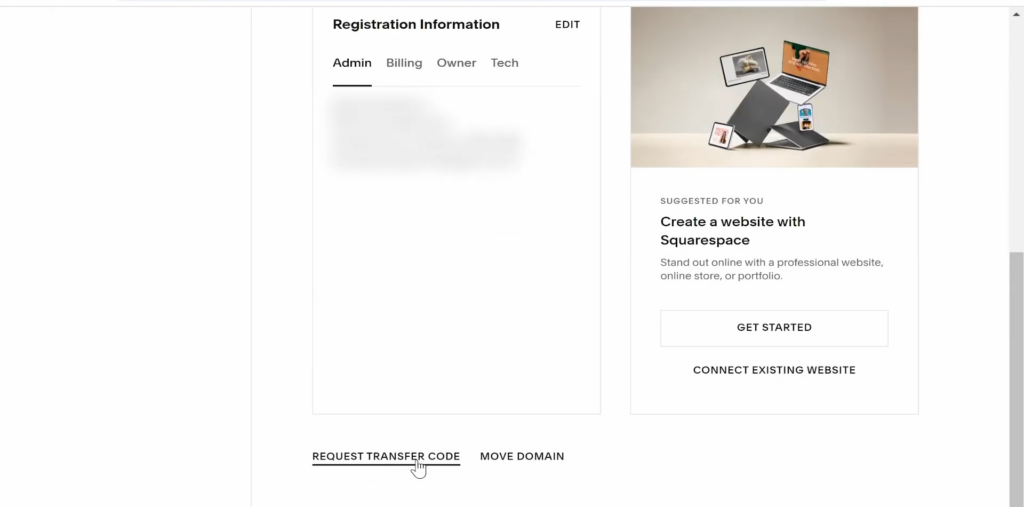
To obtain transfer key from squarespace, open the profile menu in the Domains panel and select Send Transfer Authorization Code. The authorization code will be sent to the domain’s owner contact or email if the domain name is registered with Squarespace Domains LLC.
3. Getting Started with domain transfer at Hostinger
Hostinger offers domain transfer services with pricing plans based on top-level domains.
Go to the Domain Transfer page and enter the domain name you want to transfer to in the available field. After selecting Transfer, complete the transaction by submitting the required information and billing details.
4. Initiate the transfer on Hostinger
Once you obtain the EPP code for domain transfer, follow these steps to start the migration process:
- Log in to your Hostinger account and navigate to Domains from Hostinger dashboard.
- Select the Transfer an existing domain option.
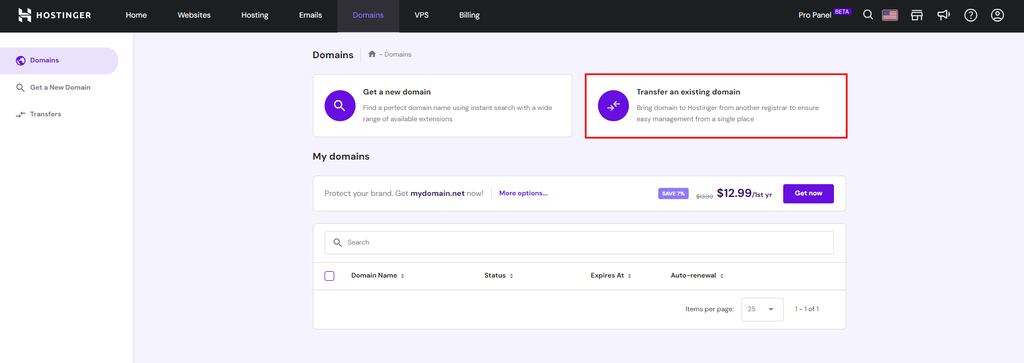
- Enter the domain you want to transfer to the available field and hit Transfer.
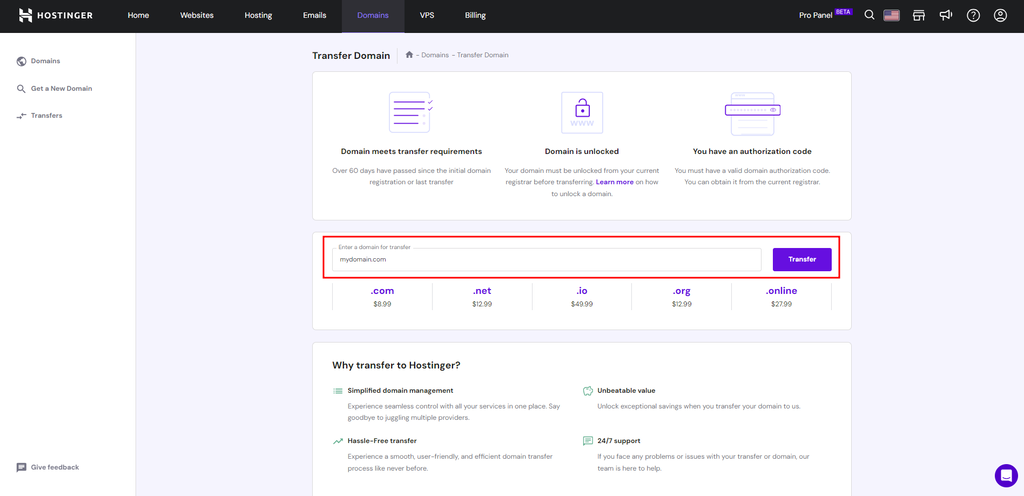
- Complete the payment process and submit the transfer code.
- Follow the rest of the prompt to finalize the domain transfer request.
6. Confirm and finalize the transfer
Once you’ve submitted the transfer request, Hostinger will send a confirmation email for your approval. The transfer process usually takes five to seven days from the request submission.
Your domain transfer status is available in the Transfer list, accessible via Domains → Transfers. Your domain is successfully registered with Hostinger when the status changes to Completed.
Frequently Asked Questions
Everything you need to know about transferring your domain from Squarespace to Hostinger.